What your tenant sees, on their own phone
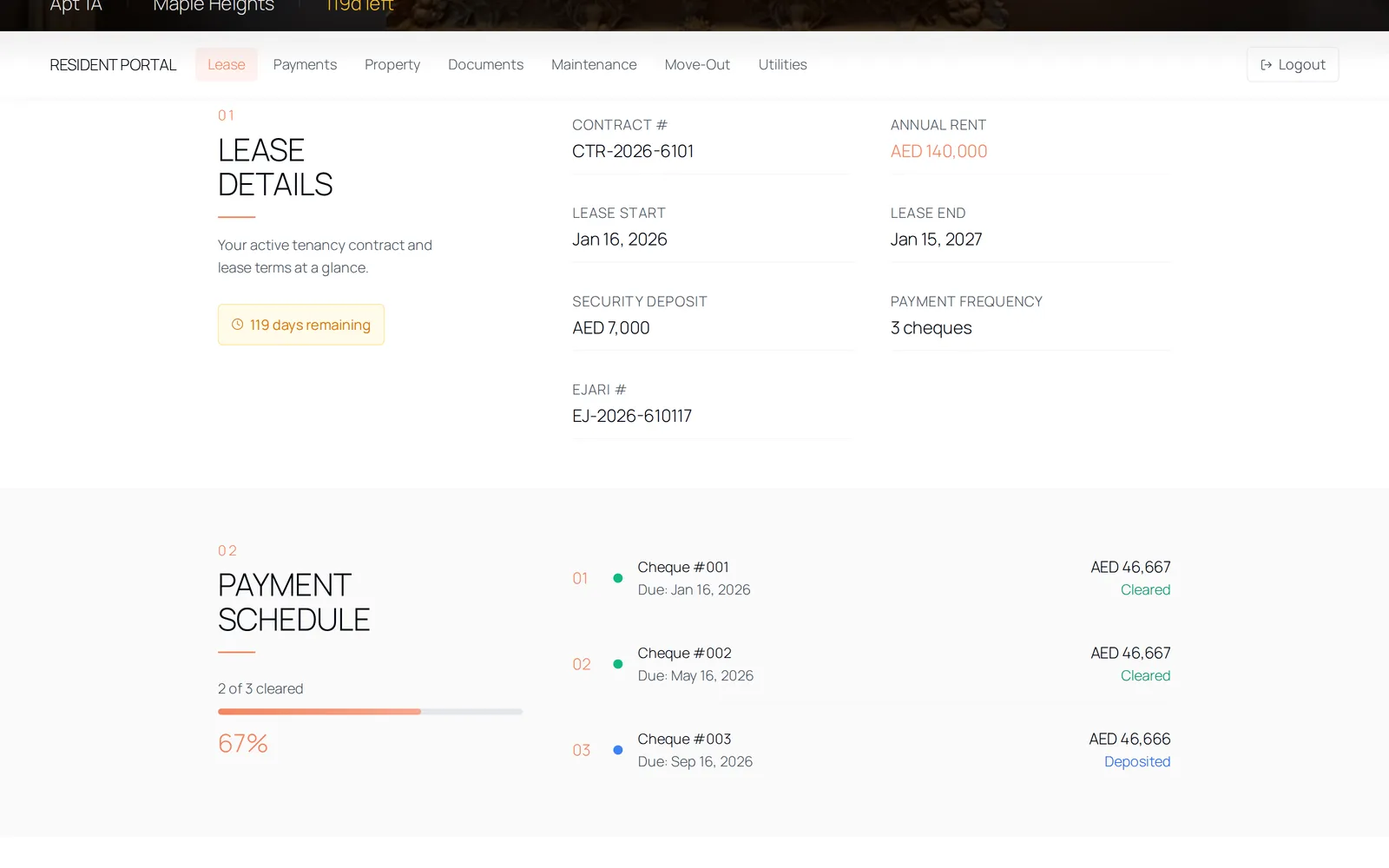
Your tenant signs in to one screen carrying their lease, their cheque schedule, their documents, their maintenance requests and their move-out. They can sign the contract, raise a request and ask to leave; everything else is read-only, and that boundary is enforced in the database.
The questions a tenant asks you instead
- A copy of the tenancy contract, again, because the first one was sent as a photograph.
- Which cheques have been banked and which have not.
- Whether last week's air conditioning request went anywhere.
- The Ejari certificate, for a visa application, on a Sunday.
How it works
One screen, and their own lease on it
The portal opens on the active contract: the unit, the dates, the rent, the deposit and the payment frequency. Expired and terminated contracts are filtered out, because a tenant's question is almost always about the lease they are living under.
They sign on the phone they are holding
An unsigned contract raises a banner in the portal. The tenant draws their signature, it is stamped with the time, and their signature status moves to signed. They can download the contract PDF afterwards — the same document you see, resolved through the same call rather than a copy made for them.
The cheque schedule, read-only
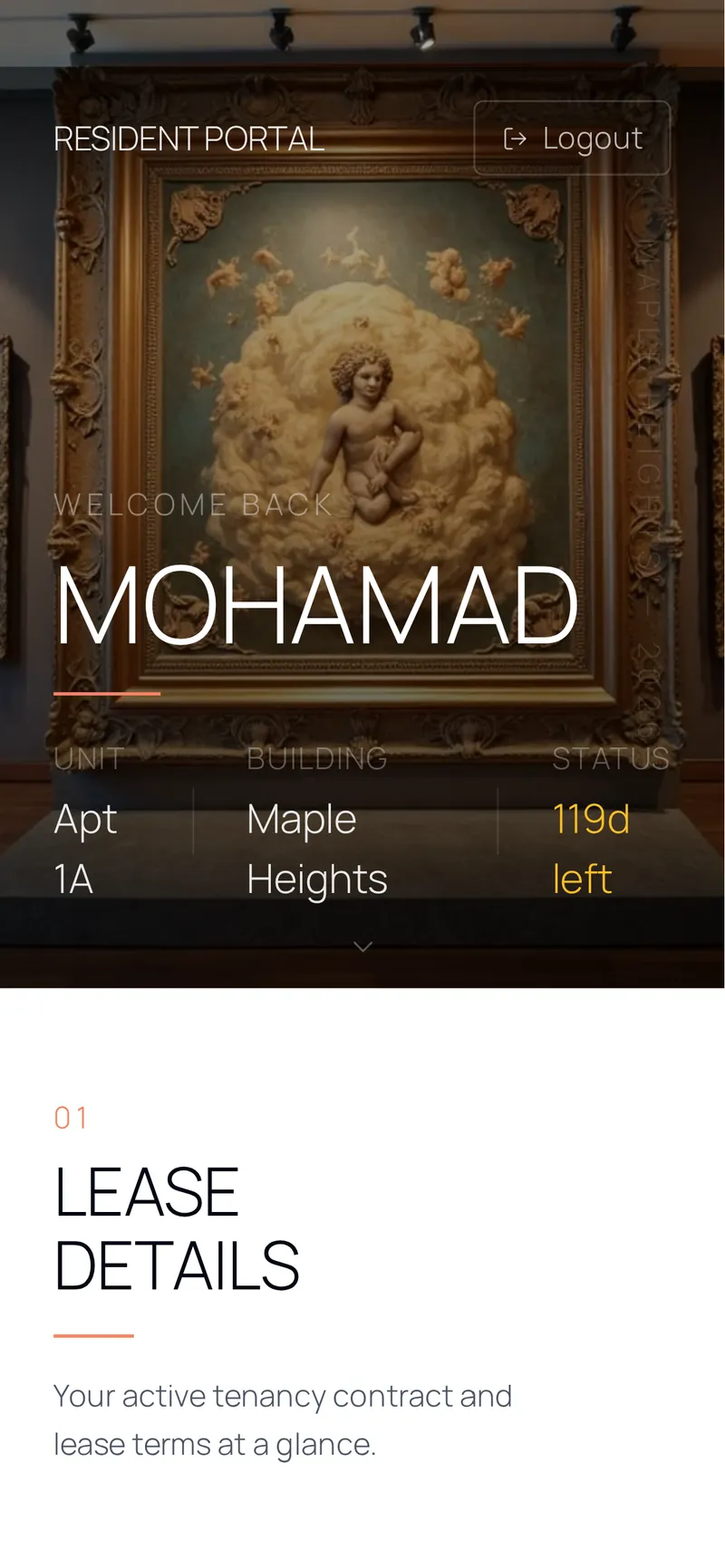
Every cheque with its due date and status, and a count of those cleared. They can read it and they cannot change it: the policy behind the view grants select and nothing more. If they have utility bills recharged to them, a Utilities tab appears — and only then.
Requests, documents and leaving
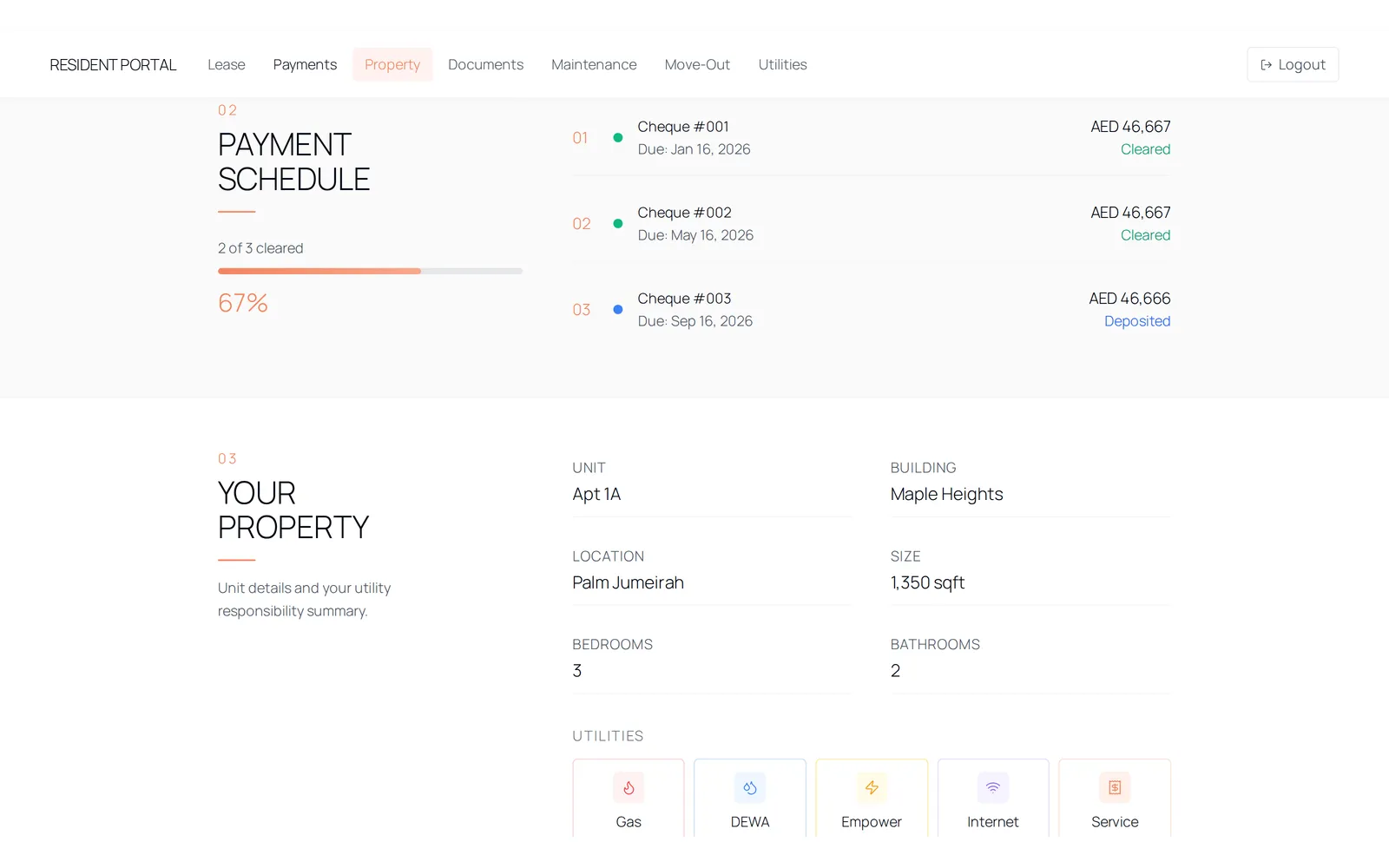
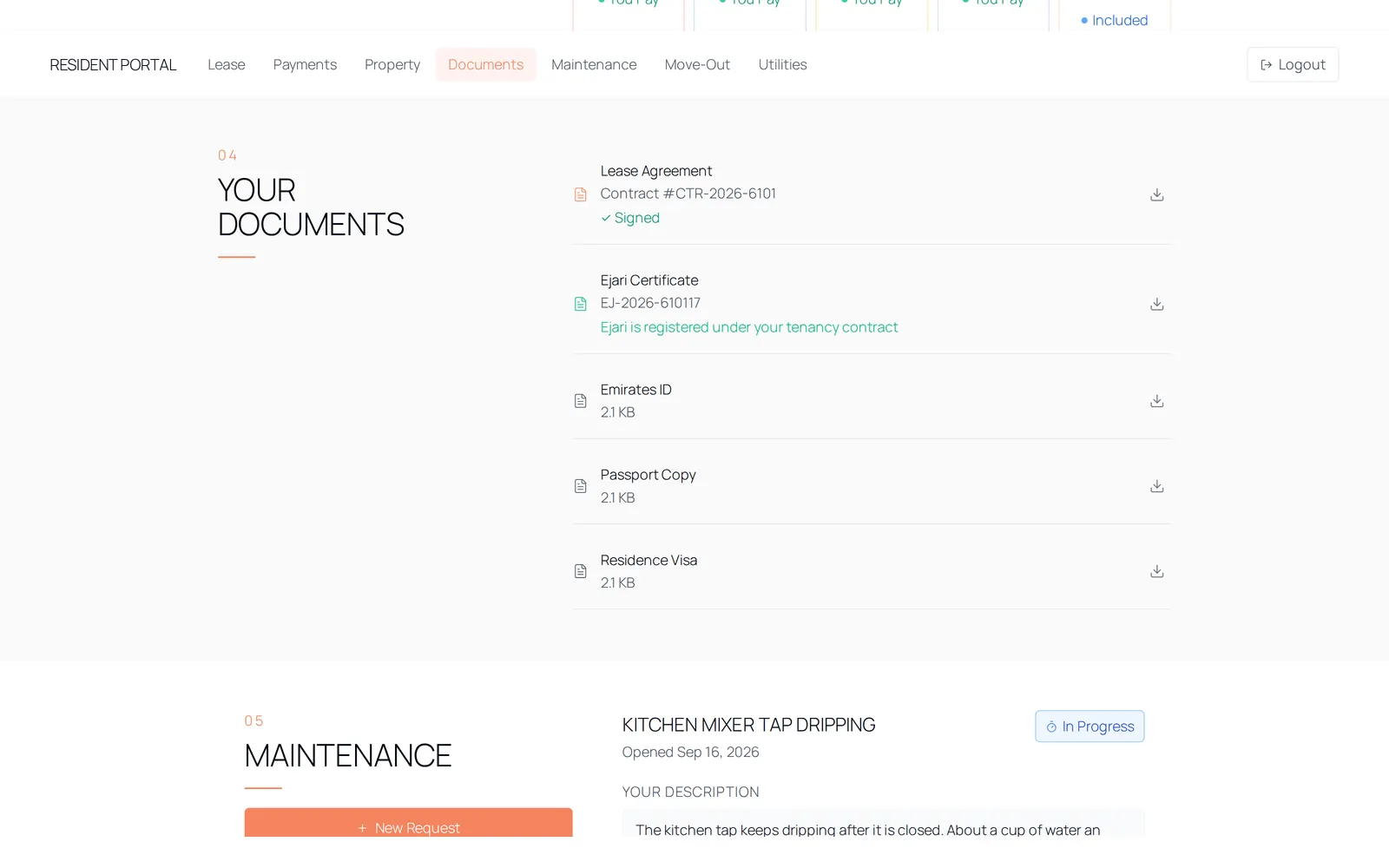
A maintenance request is raised with photographs and videos and a priority, and it arrives on your side marked as coming from the tenant. Whether they can reply on the thread afterwards is a switch you control per request. Their documents and their Ejari certificate open through links that expire. A move-out request is submitted from the same screen.
The details
- Sections
- Lease, payments, property, documents, maintenance, move-out — plus utilities, shown only when that tenant has recharge bills.
- They can
- Sign the contract, download it, raise a maintenance request with photographs, reply on a thread when you allow it, and submit a move-out request.
- They cannot
- Change a cheque status, edit the lease or the rent, see another tenant, see a service charge, see a bill that is not recharged to them, or approve their own move-out.
- Contracts shown
- Active only. Expired and terminated contracts are filtered out of the portal.
- Documents
- Opened through signed links that expire an hour after they are issued — the Ejari certificate included.
- Maintenance
- Six categories offered to tenants, three priorities, photographs and videos attached. Requests are marked as tenant-raised and alert separately.
- Navigation
- A tenant account has one destination. There is nowhere else in the product for them to reach.
Questions
No. It is the same browser application, opened on a phone. There is no mobile app today and the site does not claim one.
See it with data in it
The demo opens instantly, in the role this workflow belongs to, on sample data. There is no account to create and no form in front of it.