From the tenant's photograph to the engineer's phone
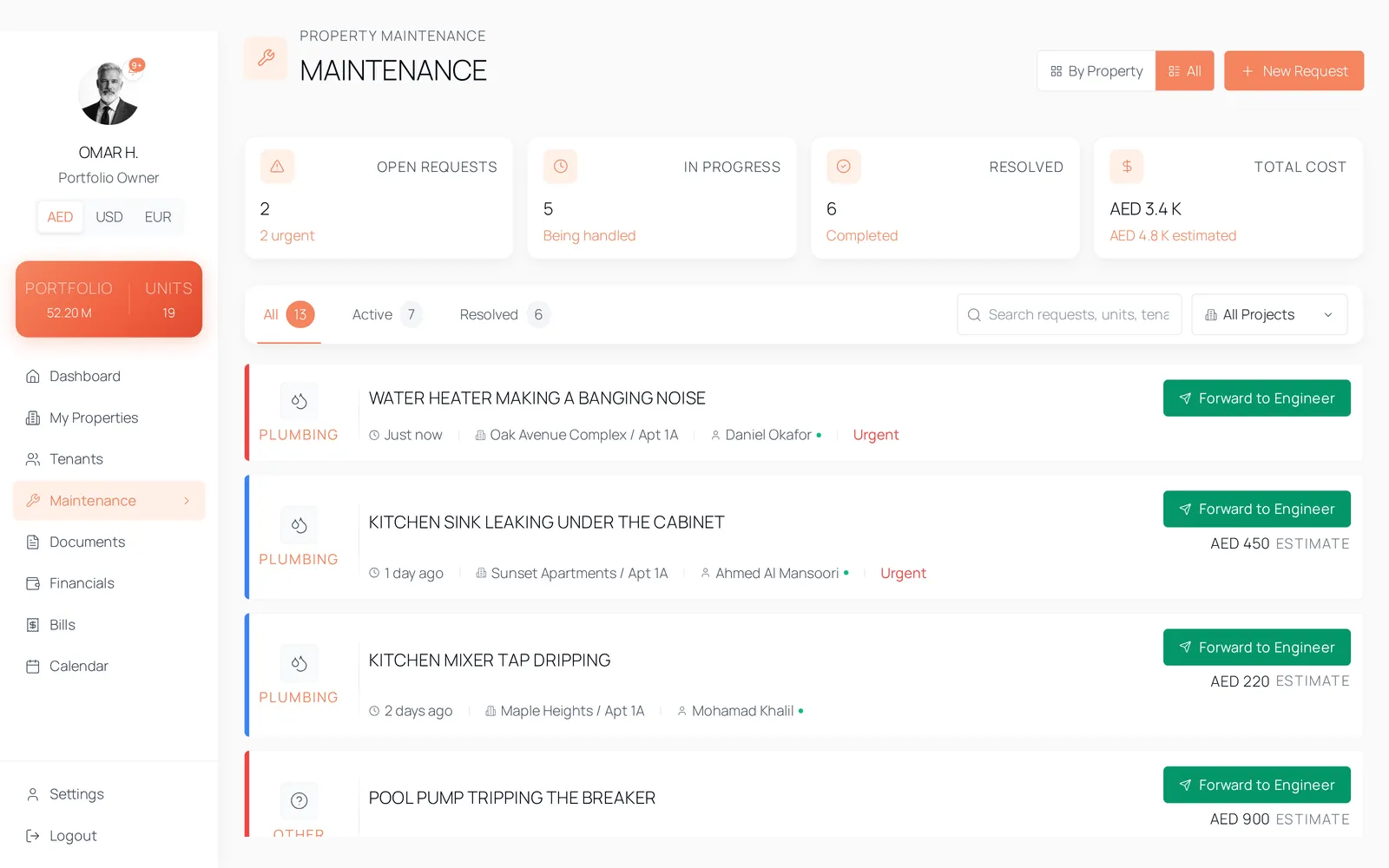
A maintenance request carries its category, priority, status, photographs and its whole note history. Sending it to an engineer is one action that produces a plain-text message on WhatsApp or by email, with the photographs attached as links.
Where a maintenance request goes to die
- The tenant sent a photograph to a WhatsApp group and it is now four hundred messages up.
- The engineer was told over the phone and nobody wrote down what they were told.
- The same tap has been fixed twice and neither visit is recorded against the unit.
- The cost of keeping a unit running is a figure you would have to reconstruct from a bank statement.
How it works
Raised from either side, onto one record
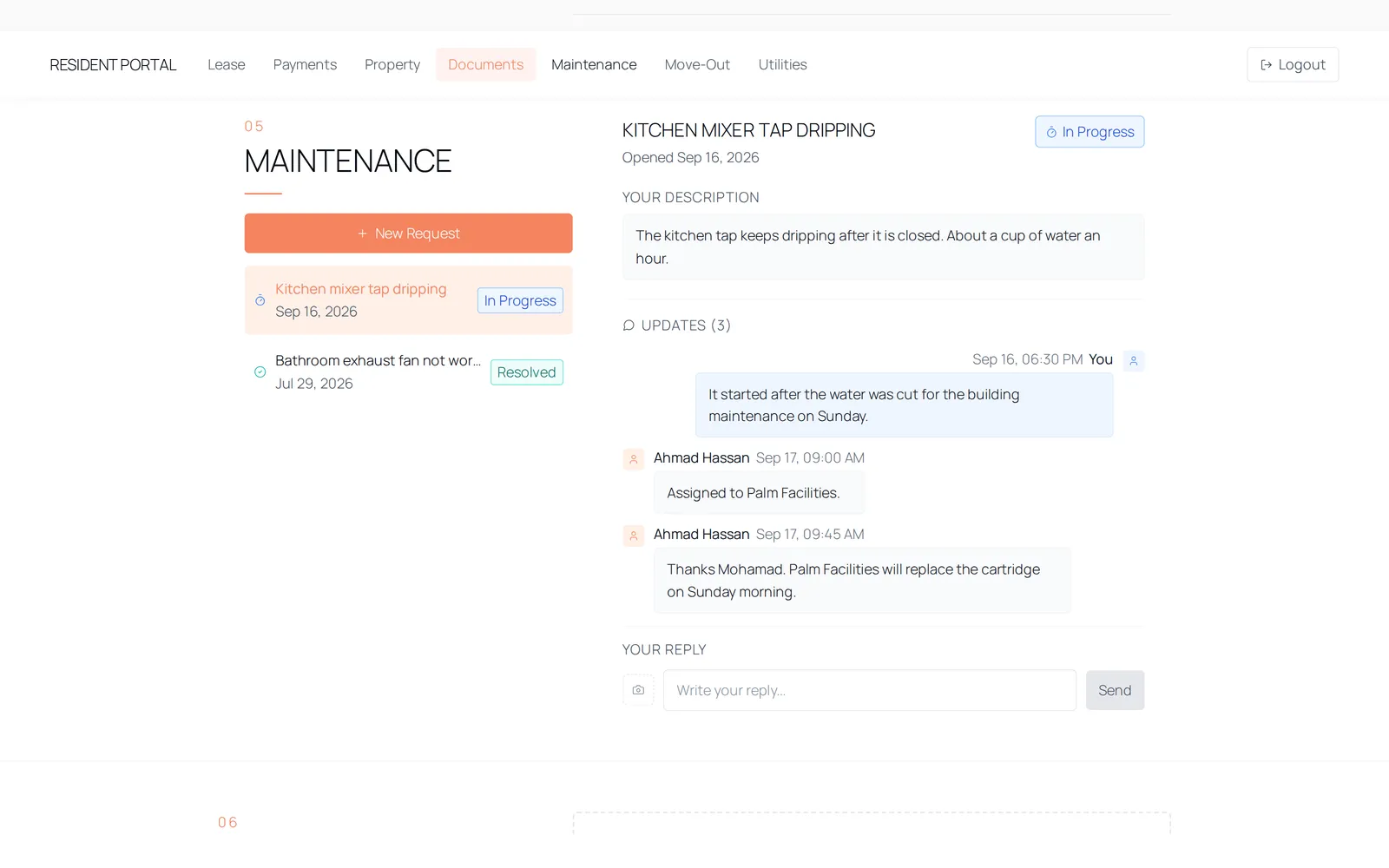
Your staff open a request from the maintenance page; a tenant opens one from their portal with photographs and videos. Both land on the unit. A tenant-raised request is marked as such and alerts separately, so the ones a person is waiting on are distinguishable from the ones you scheduled yourself.
The thread is the record
Notes carry their author and whether they came from your side or the tenant's, and each note can carry photographs of its own. Status moves through open, in progress, scheduled, pending parts, resolved and closed. Estimated and actual cost sit on the request, and the actual cost is what the sale breakdown later reads as what the unit cost to run.
Dispatch is one action
Share assembles the request as plain text — title, category, priority, status, description, the property, the dates, who it is assigned to and the costs — and opens it on WhatsApp or in an email. Tenant contact details are included only if you switch them on, and individual photographs can be excluded before you send.
The details
- Categories
- Plumbing, electrical, AC and cooling, appliance, structural, painting, pest control, other. Tenants are offered a reduced set of six.
- Priorities
- urgent, normal, low. Normal is the default when a request is raised.
- Statuses
- open, in progress, scheduled, pending parts, resolved, closed.
- Source
- A request records whether it came from a tenant or from staff, and the two raise different alerts.
- Notes
- Author, side and photographs per note. A tenant may reply only when you have switched replies on for that request.
- Dispatch
- A plain-text message on WhatsApp or by email. Tenant contact details are opt-in per send; individual photographs and videos can be excluded.
- Attachment links
- The photographs travel as signed links that expire an hour after they are issued, so a forwarded message does not become a permanent public URL.
- Assignment
- A free-text field — the name of a person or a firm. There is no contractor directory and the site does not claim one.
- Email triggers
- maintenance_created, maintenance_resolved, maintenance_note_added, maintenance_status_changed and inspection_scheduled.
Questions
No. The request is sent to them as a message on WhatsApp or by email. There is no vendor login and the site does not claim one.
See it with data in it
The demo opens instantly, in the role this workflow belongs to, on sample data. There is no account to create and no form in front of it.